ERAITOK
Menu

Applications

Industrial Ethernet applications and project guides

Start with the installation environment, connected devices, PoE load, uplink and management requirement. Each guide explains the project question first, then links to the relevant ERAITOK products and complete technical data.

Current application resources

Choose by the connection or selection question

Use the security guide when several PoE devices need an industrial switch. Use the paired fibre solution when two remote PoE devices need a matched SC fibre connection. Use the automation and SCADA guide when managed-network functions need to be reviewed. Use the power planning guide when the connected load and external DC supply need to be checked together.

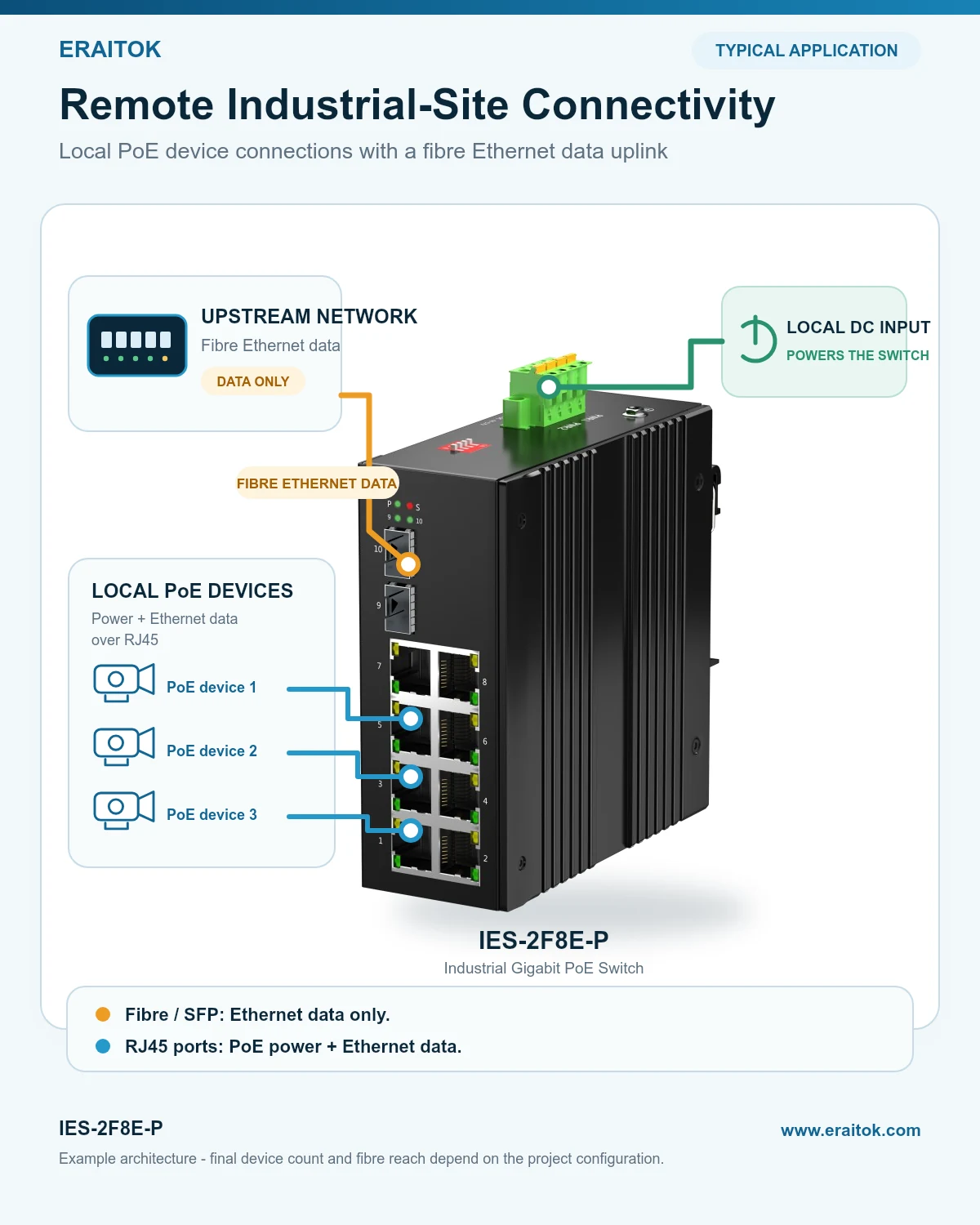
IES-2F8E-P example with local DC input, PoE devices on RJ45 ports and a fibre Ethernet uplink

Security network planning guide

Industrial PoE switch selection for security projects

Compare device count, PoE load, copper or fibre uplinks and management requirements for protected, cabinet-based security networks.

Environment, network need, topology and five-model comparison

Read the selection guide →
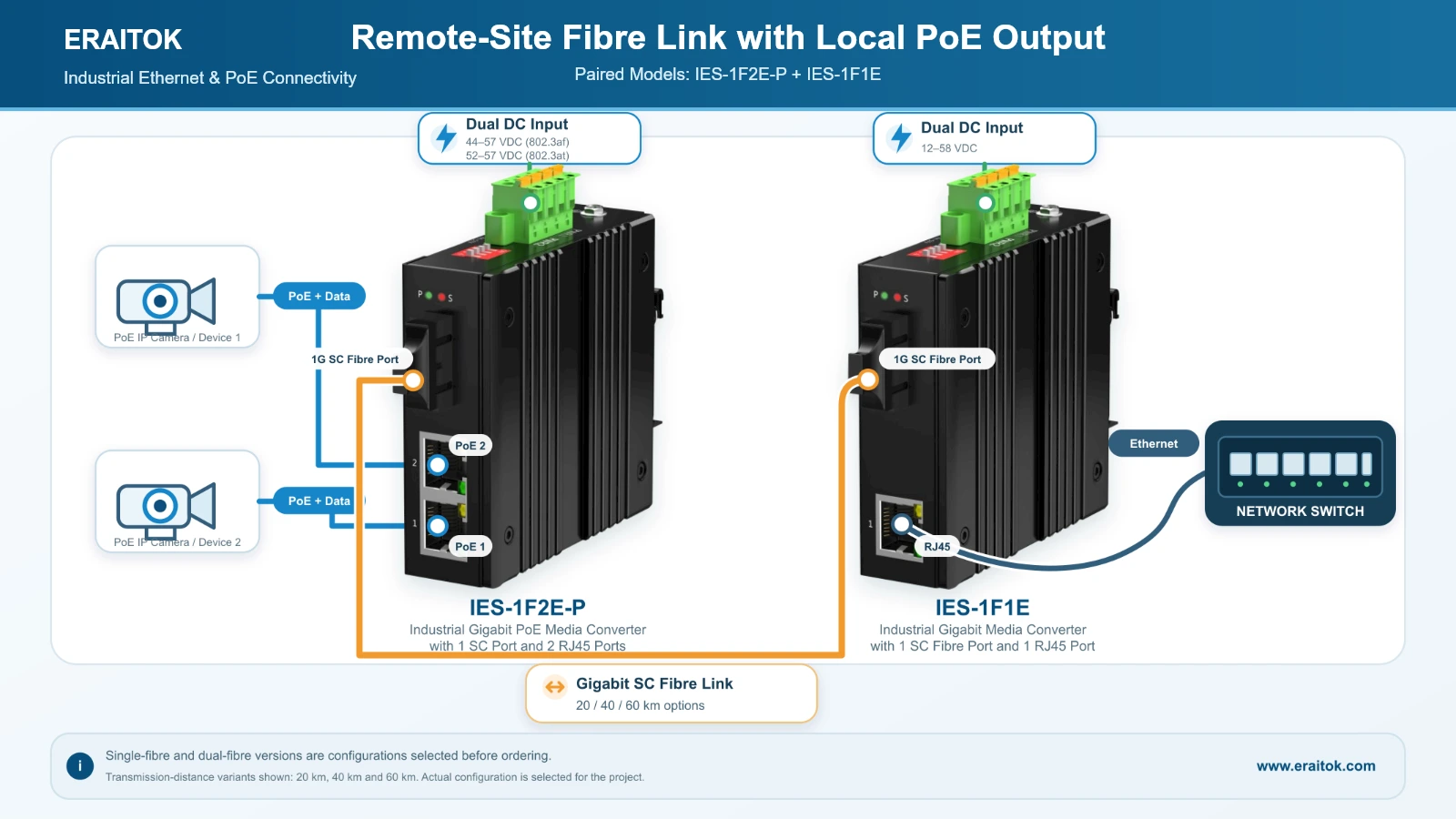
IES-1F2E-P and IES-1F1E remote-site SC fibre connection topology

Fixed paired solution

Remote-site SC fibre link with local PoE output

Review the matched IES-1F2E-P and IES-1F1E connection, local power boundary, ordering variants and downloadable application resources.

Verified endpoints, video, application brief and both datasheets

View the paired solution →

Automation and SCADA planning

Managed industrial Ethernet switch selection

Review connected equipment, VLANs, monitoring, fibre topology, ring protection and system-level project boundaries before comparing the managed models.

Practical comparison of IES-2F8E-P-M2 and IES-4F16E-P-M2

Read the managed-switch guide →

Power planning resource

Industrial PoE power budget and DC supply planning

Check the connected-device load, the switch's own consumption and the published DC input requirements before selecting the external power supply.

Read the power planning guide →

STEP 1

Application guide

Review the environment, connected devices, topology and project checks.

STEP 2

Relevant product page

Confirm the model-specific features and download the complete English datasheet.

STEP 3

Project enquiry

Send the model, quantity and application details for configuration review.

Project review

Discuss the site, device count, PoE load and connection distance.

Request a Preliminary Configuration Review